Adobe Icc Profiles Linux Distro
Looking good: Basic color management for X. System and simply copy the.icc file to your Linux installation. Available ICC profiles. Adobe offers free.
Trademark information Adobe is either a registered trademark or a trademark of Adobe Systems Incorporated in the United States and/or other countries. All instances of the name 'Adobe RGB' are references to the Adobe RGB (1998) color space and color encodings as defined by Adobe, unless otherwise stated. The name 'Adobe RGB (1998)' also is used as a software product trademark for Adobe's implementation of the Adobe RGB (1998) ICC profile. Adobe does not permit the use of the Adobe RGB trademark for software, hardware, or other related products from companies other than Adobe, unless the company has obtained a prior written license from Adobe to do so. ADOBE SYSTEMS INCORPORATED COLOR PROFILE BUNDLING AGREEMENT NOTICE TO USER: PLEASE READ THIS CONTRACT CAREFULLY. BY USING ALL OR ANY PORTION OF THE SOFTWARE YOU ACCEPT ALL THE TERMS AND CONDITIONS OF THIS AGREEMENT. YOU AGREE THAT THIS AGREEMENT IS ENFORCEABLE LIKE ANY WRITTEN NEGOTIATED AGREEMENT SIGNED BY YOU.
IF YOU DO NOT AGREE WITH THE TERMS OF THIS AGREEMENT, DO NOT USE THE SOFTWARE. • DEFINITIONS. In this Agreement, 'Adobe' means Adobe Systems Incorporated, a Delaware corporation, located at 345 Park Avenue, San Jose, California 95110. 'Software' means the software and related items with which this Agreement is provided, as listed in Exhibit A. Subject to the terms of this Agreement, Adobe hereby grants you the worldwide, non-exclusive, nontransferable, royalty-free license to use, reproduce and publicly display the Software.
Adobe also grants you the rights to distribute the Software: (a) on a standalone basis (b) as embedded within digital image files. (c) as embedded within hardware products that author digital images, where there is no End User access to the Software, and (d) as bundled with your own application software, provided that you comply with all the distribution requirements in Section 3 below. No other distribution of the Software is allowed.
All individual profiles must be referenced by their ICC Profile description string. YOU MAY NOT MODIFY THE SOFTWARE. Adobe is under no obligation to provide any support under this Agreement, including upgrades or future versions of the Software or other items.
No title to the intellectual property in the Software is transferred to you under the terms of this Agreement. You do not acquire any rights to the Software except as expressly set forth in this Agreement.
Whatever you do, don’t install the 64-bit version in the same folder that you install the 32 bit version. Sound banks in Sylenth1 Sylenth1 allows users to use sound banks as presets for the sounds. There are 4 oscillators used to generate sounds and each of these oscillators have 8 different wave forms to choose from. Sylenth1 will automatically begin installing the DLL’s according to the location defined in the windows registry. Sylenth1 crack fl studio.
Do you see what I see? Maybe, if you have taken the time to tackle color management on your machine. The major desktop environments for Linux give 90 percent of users all the tools they need to see all of their images in device-independent accuracy. You don't even need to buy special hardware. This weekend, pull up a monitor and see what all the technicolor fuss is about. I'll be the first to admit that I write about color management more than the average Linux user cares to hear about it.
I mention it whenever I review graphics apps for two reasons: first, because it is a must-have feature for photography and graphic design, and second, because desktop Linux is right on the verge of making it simple and ubiquitous, which will be a major win. But it is not quite point-and-click simple yet. But it's not pulling teeth difficult anymore, either. For those totally new to the subject, the essence of color management is that no two devices produce exactly the same colors, but because all digital colors are nothing more than numbers (think RGB triples.), we can mathematically convert each number so that when it finally reaches the screen, it looks the same. Theoretically, the only trick is knowing the characteristics of the monitor — what part of the the 3D color space it can actually display.
Practically speaking, there is another tricky part: the application that wants to paint the colorful pixel onto the screen needs to actually do the transformation, not just shove raw RGB at the X server. But that's a problem for application developers; there are libraries to make short work of the number crunching, and a of Linux apps is already prepared to pretty-up your colors if you'll just provide the display characteristics. And therein lies the work. In years past, the task of creating the 'display profile' (as it is officially known) was both complicated and arcane.
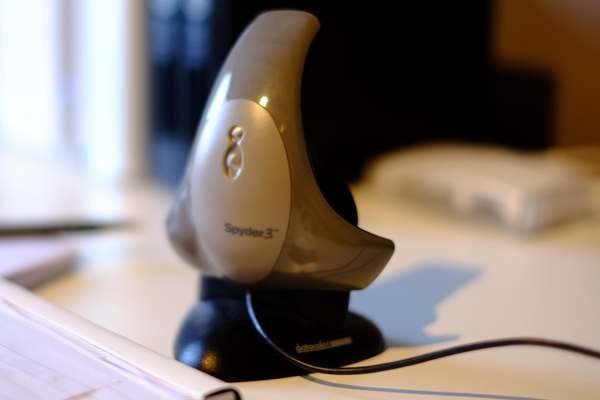
You needed a light-sensing colorimeter that you could stick onto your monitor, and you needed to work a suite of command-line tools (which never seemed to be packaged for your distribution) to put the monitor through its paces and capture its behavior with the colorimeter. Not to mention that supported colorimeters were not cheap or easy to find.