
Captain Tsubasa Games Pc
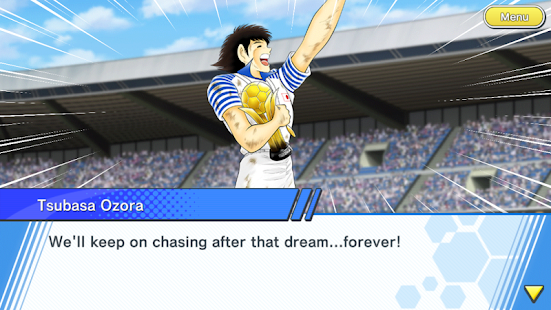
Play the exciting sports mobile game which is adapted from the Captain Tsubasa anime,Captain Tsubasa:Dream Team on PC with Android Emulator MEMU App Player. Based on this Captain Tsubasa Anime, the Klab company developed the mobile game Captain Tsubasa: Dream Team which has enjoyed popularity worldwidely. Captain Tsubasa is an iconic Anime and Manga series based on Football / soccer. Musicsoft er yamaha psr e423 keyboard. It was popular back in the day.  It is brought back to life in form of a 3D game.
Captain Tsubasa – Dream Team: Captain Tsubasa – Fight Dream Team is a video game for Android dependent on the outstanding manganime of a similar name, where you’re responsible for a team made up of notorious characters like Ozora Tsubasa/Oliver Atom, Kojiro Hyuga/Mark Lenders, and numerous others. The game’s primary trademark is that much the same as what happens in many games discharged for consoles, it has an unhurried gameplay where you need to choose what move to make each time an adversary comes at you or you’re in the zone. Each action costs a specific measure of vitality and every player has certain advantages and disadvantages when confronting two other character profiles, as though it were a ‘stone, paper, scissors’ game. Through this exceptional gameplay, you can make a wide range of hostile and protective plays, from spilling toward the opponent or bouncing to block a long go, to play out a portion of the players’ numerous extraordinary shots. Question: Is there An y Risk to Play Captain Tsubasa: Dream Team on PC (Win 10) The answer is NO! There are numerous Players out there discussing that playing Captain Tsubasa: Dream Team on PC will get you Banned, however, it’s not the reality.
‘Captain Tsubasa: Dream Team’ is simply not Supported when technical problems occur if you don’t play on iOS or Android. Do it Appropriate as I have discussed in this Article >>OR >Download Emulator on Your PC >>This would Emulate Android/ Mobile. Reasons to Play Android games on PC! • Now Having Smartphones (Good Quality) • PC Gamers • Mobile Not Supported • Having WIFI Connection only on PC (Win 7/8/10) >> Office problems. • Download Andyroid Emulator on Your Windows 10/8/7 • Download Andyroid From Here • Wait until the installer finished successfully.
• Open Andyroid from your PC (Windows) OR Mac! Step 2: Login/ Create Your Account: Select Language & Then Create a New account or Use Existing Google Play Account (Given in Image Below) • If you want to use your existing Account to Play Captain Tsubasa: Dream Team On Windows 10 > Then log in with your existing Google Play Account! • If you don’t have a Google Play Account OR you want to use another account create a new one! (It,s Easy like Hell) Everything is Ready! What you need to Do is Download ‘Captain Tsubasa: Dream Team’!
Step 3: Install ‘Captain Tsubasa: Dream Team’: Now open the Google Play Store Account. Step 4: Configuration (Recommendation) For the Best Experience (Better Result) – I would highly recommend you to change these settings! Adapt Hardware Resources Andyroid will not need more than 1024 MB of memory and 2 CPUs (if you’re using a PC (Desktop), you can also choose 1 CPU if you have a high strong CPU. You can set it up in the “Virtual Box” settings – It would set automatically in the beginning, but you can double check it. Setup Keyboard Support Playing with keyboard hotkeys will make easier Gameplay >>> Reason >>> Every Gamer knows 😉.