Installous 4 Crashes That Changed
Gives iPhone users almost unfettered access to their devices, offering a slew of customizations, new features, and improved apps that you just can't get elsewise. Unfortunately, Apple has clamped down hard on the latest iterations of iOS, making jailbreaking extremely unstable at best. Hope is not lost, however, as there's still a way to install modded and unofficial apps on your iPhone, iPad, or iPod touch without any jailbreak. Created in 2013 by Jay Freeman, better known as, Cydia Impactor has become the go-to tool for sideloading unofficial iOS apps—you know, the kind that Apple won't allow on its App Store. It's an incredibly versatile utility, and will operate on both Windows and Mac. Below, I'll show you the basics to using it, so you can sideload apps without a hitch. Soal tik kelas 8 semester 2 microsoft excel 2007 pdf. Don't Miss: Requirements • Windows or Mac computer • iPhone, iPad, or iPod touch running iOS 9 or higher • latest version of Step 1: Install Cydia Impactor First things first, you'll need to download the Cydia Impactor program for Mac or Windows.
• • From there, if you're using a Windows PC, simply extract the contents of the ZIP file. We recommend creating a folder on your desktop to keep any app files and the extracted contents of Cydia Impactor in one place for easy access. For Mac users, double-click the DMG file to open it, then simply drag the Cydia Impactor icon into your Applications folder and it will install the utility automatically.
Well, adding a wallpaper to your desktop is not mandatory. In fact, you can decide to use a dark colour, and life will move on as usual. However, this element comes with a sense of beauty. Pirate bay high def wallpapers free.
Step 2: Download an IPA File for Your Sideloaded App Now you'll need the IPA file for whichever app you're attempting to sideload. An IPA file is similar to an EXE or DMG file on Windows or Mac, respectively, so it's basically an installer file for iOS apps.
Job Search SQL is a database computer language designed for the retrieval and management of data in a relational database. SQL stands for Structured Query Language. Slow installous 5 download Iphone installouse slow download. Community Experts online right now. Ask for FREE. Ask Your Question Fast!

When downloading IPA files, make sure you trust the source, as sideloaded apps can request access to sensitive data on your device. If you'd like an example IPA to test with, we recommend, which is a great place for video game console emulator apps. After you've gotten everything in order, connect your iPad or iPhone to your PC or Mac using your Lightning USB cable. Make sure to close any programs that automatically open, including iTunes. Before we go on to the next step, it's very important that you uninstall any legitimate app you're replacing on your iPhone or iPad, if you already have one installed.
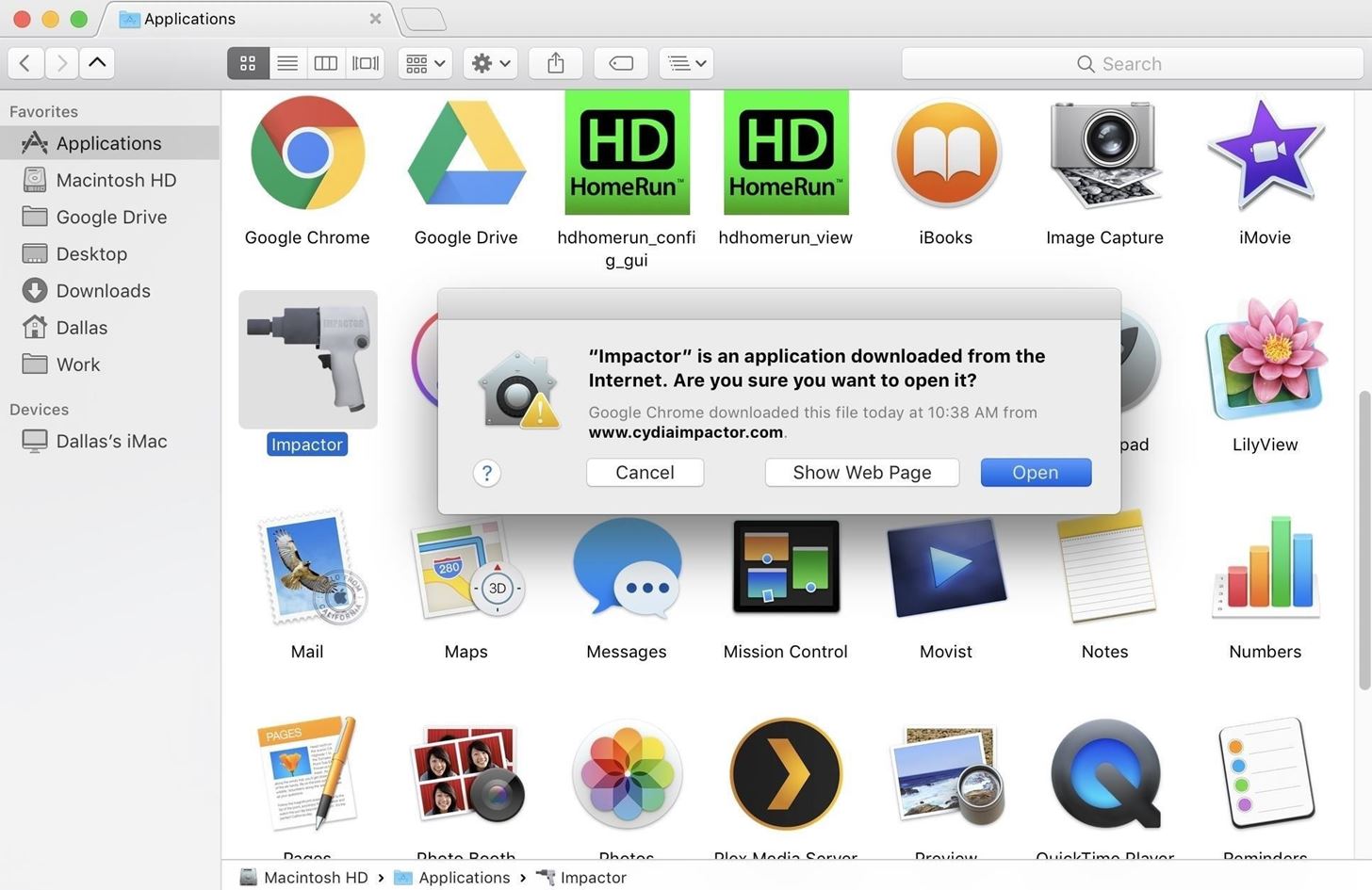
If you're sideloading an app that's not in the iOS App Store, you won't even have to worry about this. Step 3: Run Cydia Impactor On Windows, simply double-click the Impactor EXE to run the program. Do not run it as an administrator if asked, as this disables the click-and-drag function that's necessary in order to proceed. On a Mac, launch Impactor and click 'Open' when asked if you'd like to launch this program. Depending on your, you may need to do a bit more to open this app up. If so, see this guide for help: Don't Miss.
Dragging an IPA file onto the Cydia Impactor window. Step 5: Enter Your Apple ID As soon as you drop the IPA file onto the Cydia Impactor window, you'll be asked to enter your Apple ID and password. This is used to spoof Apple's servers into giving permission to install the IPA file into your iPhone or iPad. Cydia doesn't save or view your login info anyway, so it's perfectly safe to proceed Enter the email and password combination associated with your Apple device when prompted. If a warning appears stating that previous developer IDs and apps will be removed from your device, you can either click 'OK,' or restart the sideloading process and use a different Apple ID.